
Where alerts appear
Telegram — Alerts arrive in the MemePerfect bot. Click the token address to copy it, or use the links to open Axiom, BonkBot, Dextools, and other tools with the token prefilled.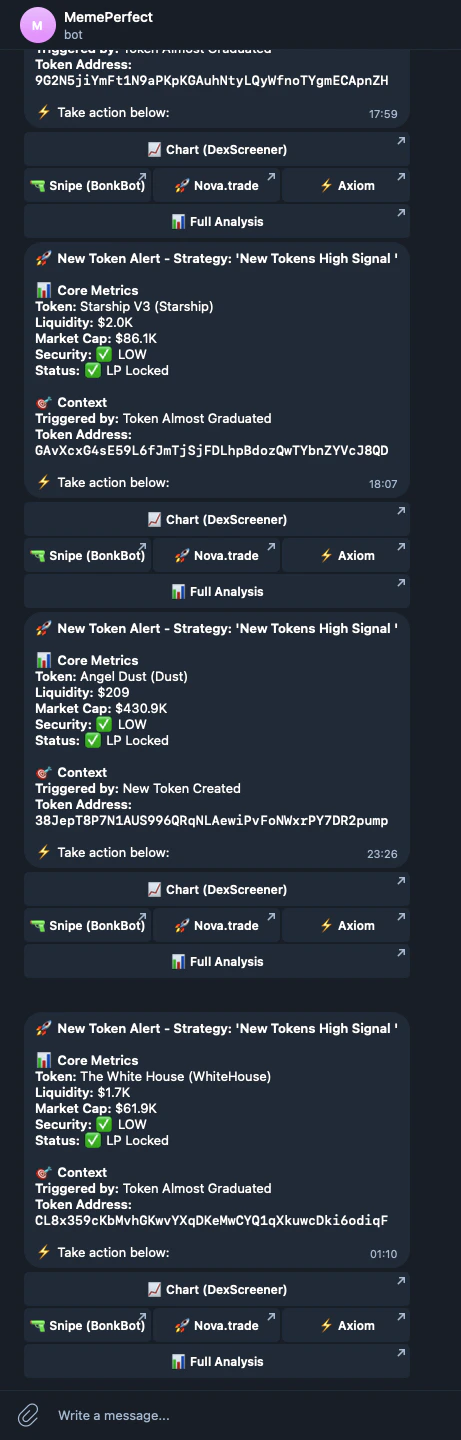
Alerts list in the telegram bot app
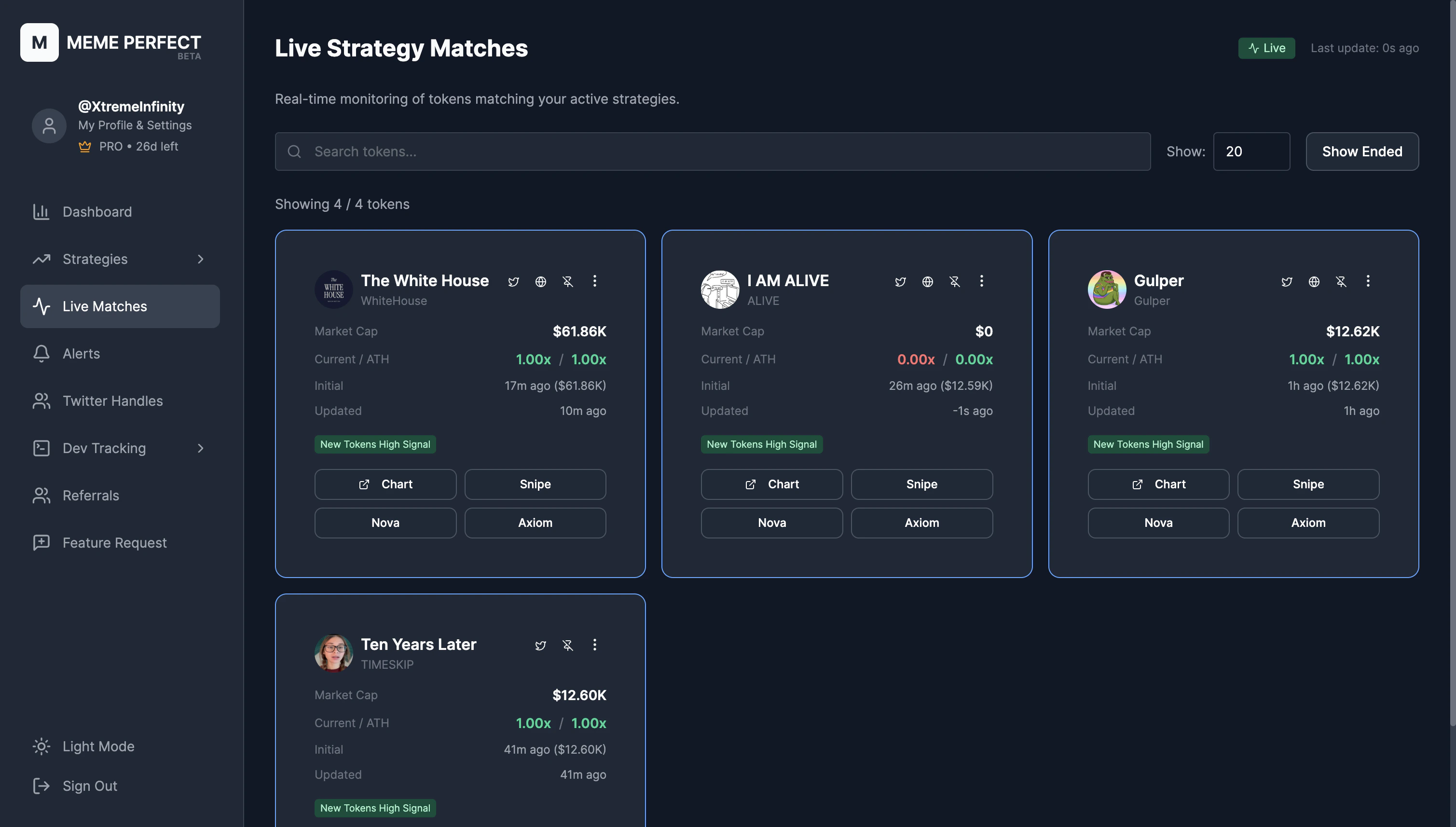
Alerts list in the app
What’s in an alert
Each alert includes:- Token — Name, symbol, logo, contract address
- Strategy — Which strategy fired (click to open it)
- Trigger — The event type (e.g., Newly Created Tokens, Tweet Mentions Token)
- Snapshot at alert — Market cap, liquidity, holders, taxes, price when the alert fired
- Live performance — Current market cap, peak market cap, ROI since alert, and a price sparkline
MemePerfect does not execute trades. Alerts give you the token and links. You decide when and how to act.
Linking Telegram
To receive alerts in Telegram, link your account in Settings. Start the MemePerfect bot, complete the flow, and alerts will appear there. You can still view everything in the app.Strategy Performance
Track win rate across your strategies.