
How to Run a Backtest
1
Open Backtests
From the sidebar, go to Strategies → Backtests. Click New
Backtest.
2
Select strategy
Choose the strategy whose rules you want to test. This is the logic that
will be applied to historical data.
3
Choose evaluation source
Select All strategies to run on evaluations from any of your strategies
in the time window, or pick one strategy to limit the source data.
4
Set lookback window
Use the slider to pick 1–7 days (or up to 14 days on DEGEN plan). The
backtest analyzes the previous N days ending at the current time.
5
Configure options (optional)
- Event Type: Filter by trigger type (e.g., Newly Created Tokens, Tweet Metadata Match). - Threshold (x): Minimum multiple to count as a winner (e.g., 2 = market cap at least 2× baseline at evaluation time). - Strictness Override: Use strategy default, or force Strict ON or Strict OFF. - Max tokens: Limit how many evaluations to process (default 5000).
6
Start backtest
Click Start Backtest. You’re redirected to the job page. Processing can
take several minutes.
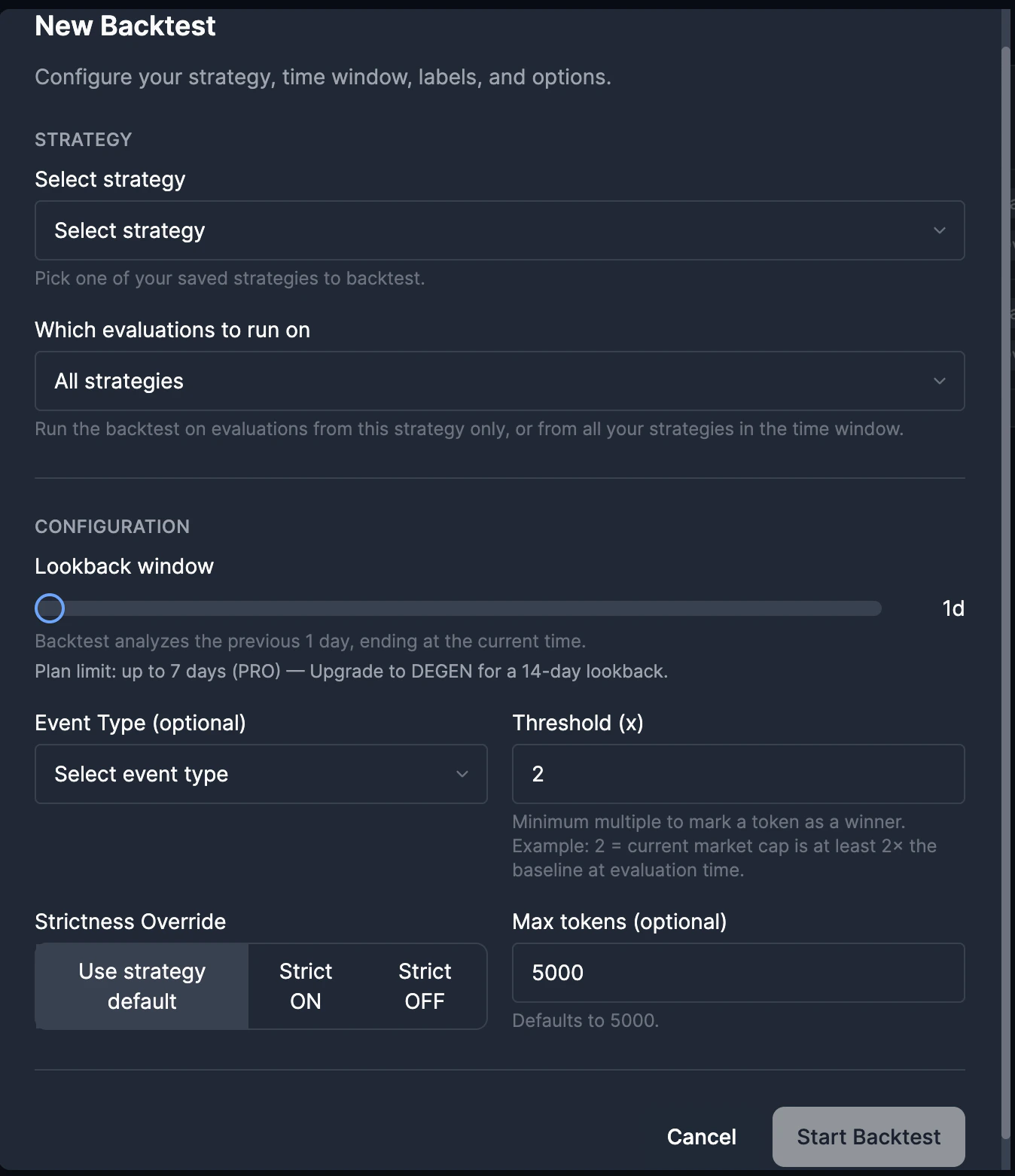
New Backtest modal
Backtests require an active subscription. Weekly plans and renewals may have
different limits.
Run backtests through the API
Developers and agents can run the same async backtest workflow through the external API:GET /backtestsPOST /backtestsGET /backtests/:idGET /backtests/:id/results
Manual Strategy Test can run one token against live or backtest data inside
the app. That single-token tester is not part of the public external API. Use
the async Backtests endpoints for API-key integrations.
Backtest API reference
Create, poll, and inspect backtest jobs from your own systems.
Job Statuses
- QUEUED: Job is waiting to run.
- RUNNING: Backtest is running against stored historical token data.
- COMPLETED: Results are ready to view.
- FAILED: Job ended with an error.
Understanding Results
Once completed, the backtest job page shows:- Tested: Number of token timelines evaluated.
- Matches: Tokens that matched your strategy rules.
- Window winners: Tokens that reached the threshold multiple inside the effective backtest window.
- Precision: Proportion of matches that were winners.
- Recall: Proportion of winners that your strategy caught.
- F1: Harmonic mean of precision and recall.
Filtering and Sorting Results
Use the result table filters:- Matched: All, Yes, or No (whether the token matched your rules).
- Window winners: All, Yes, or No (whether the token reached the threshold inside the backtest window).
- Multiple: Min/max range for snapshot-window multiple.
- Search token: Filter by contract address.
- Sort: By evaluation timestamp, multiple, or other fields.
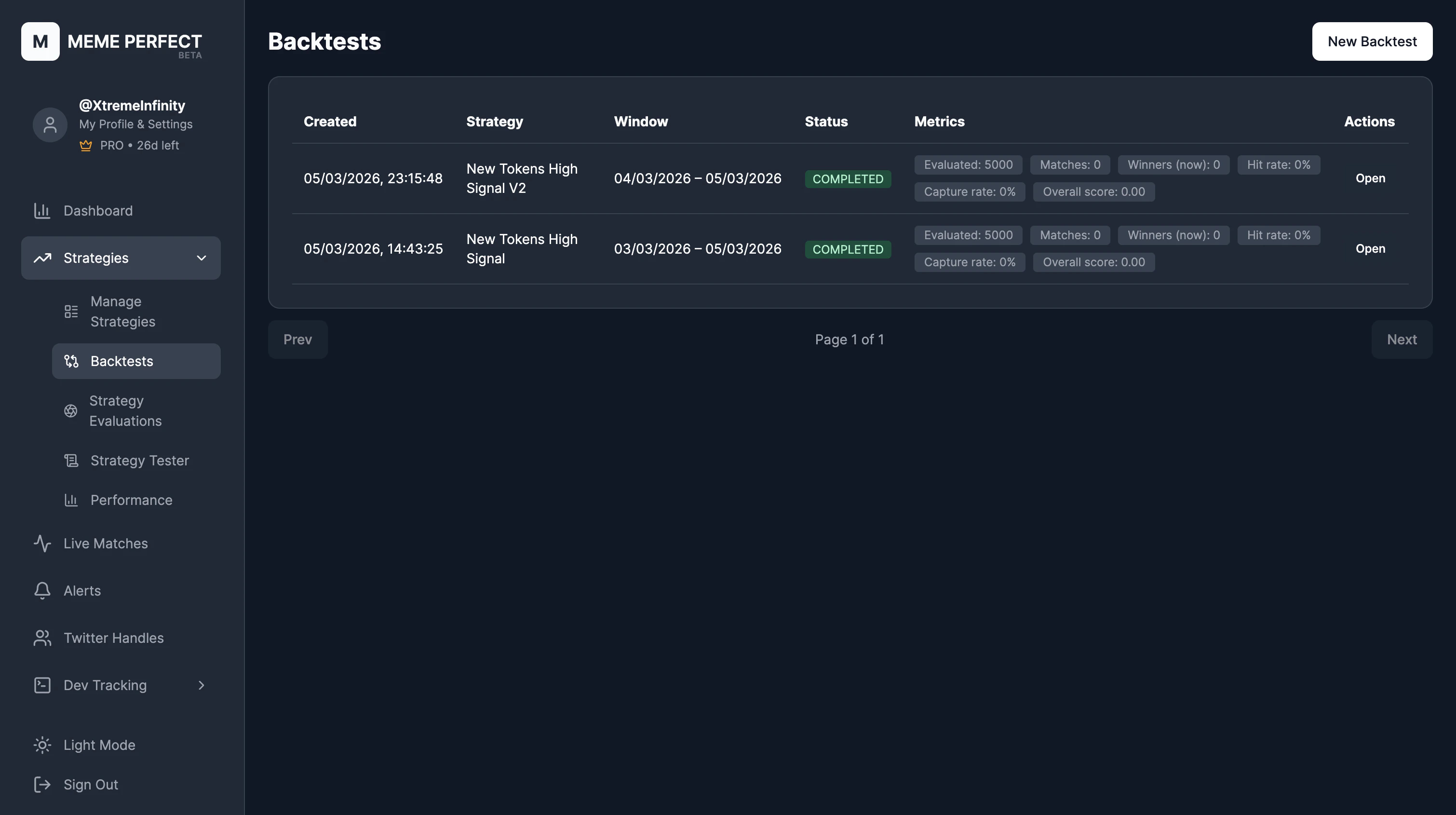
Backtest job results
Running from a Strategy Card
You can also start a backtest from a strategy card. Click Backtest on the card and the modal opens with that strategy pre-selected.Strategy Performance
Track live performance of active strategies.
Strategy Editor
Adjust rules based on backtest insights.