
Dashboard
Your home base. Overview of active strategies, recent activity, and quick actions like creating a new strategy or selecting a template.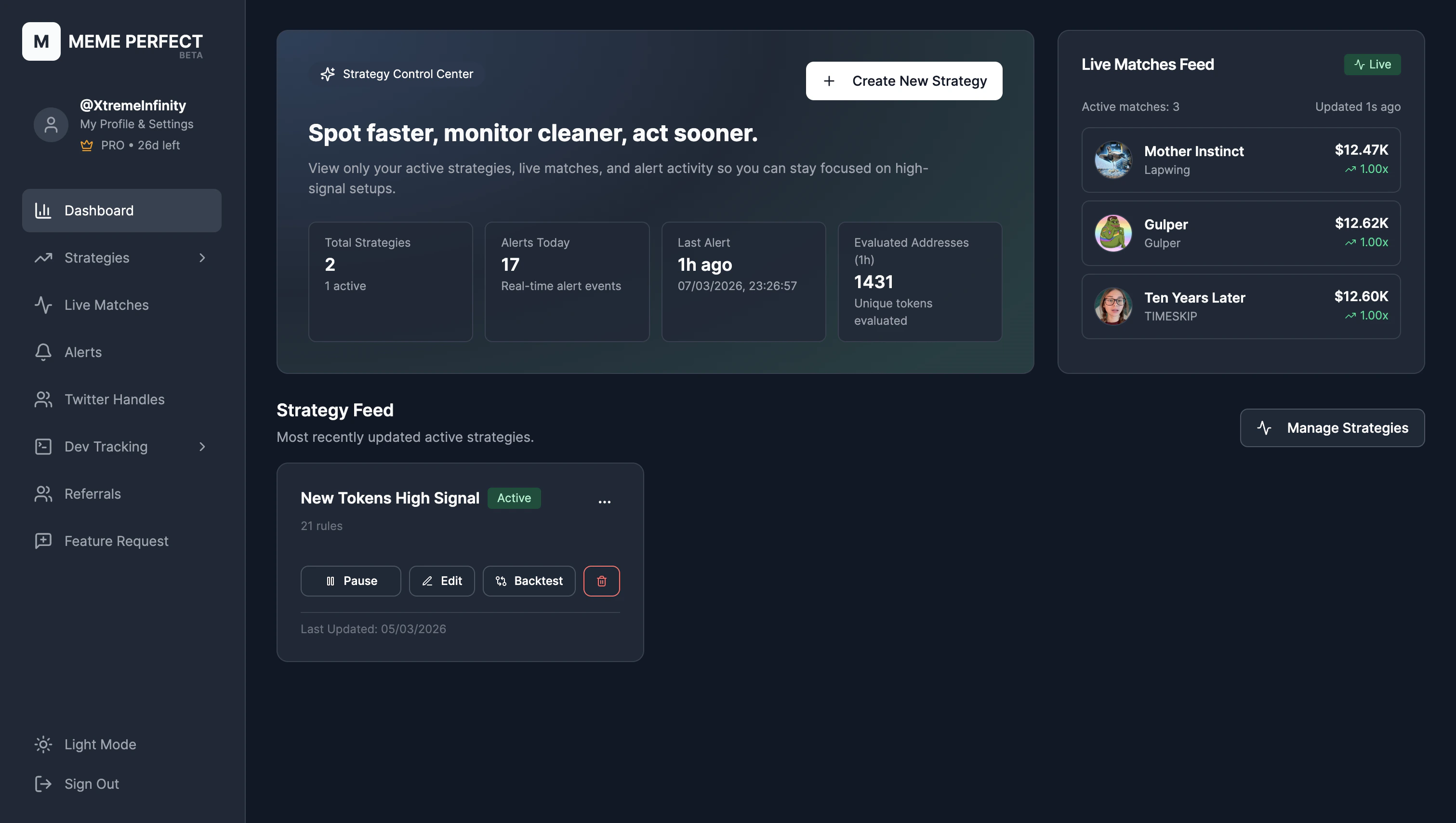
Dashboard home
Strategies
Click Strategies to expand the section. You’ll see:- Manage Strategies — Create, edit, activate, and organize your strategies. This is where you spend most of your time building.
- Backtests — Run strategies against historical data to see precision, recall, and winner counts before going live.
- Strategy Evaluations — Inspect evaluations and how tokens matched or failed your rules.
- Strategy Tester — Manually test a token against a strategy.
- Performance — Track win rate and performance of alerts over time (daily, weekly, monthly, quarterly).
Live Matches
Tokens that are currently matching your strategies in real time, before they become alerts. Useful for monitoring the funnel.Alerts
Your alert history. Every token that passed your rules and triggered an alert. Click one to see full details, contract address, live performance since alert, and actions (add to watchlist, copy links).Twitter Handles
Manage the authors you monitor for tweet-based triggers. Add handles, assign tags, and use those tags when configuring Tweet Mentions Token or Tweet Metadata Match in a strategy.Dev Tracking
Discover successful developers from winning tokens, follow them, and trigger when they launch new tokens. Add devs to tags for Newly Created Token From Followed Dev.Settings
Profile, subscription, Telegram link, and API keys. Link Telegram here if you haven’t already—you need it to receive alerts.Quick Start
Not done yet? Get your first alert in 5 minutes.
What is a Strategy?
Understand the building blocks of every alert.