
How Win Rate Works
Win rate is calculated using token ATH (all-time high) since alert. If a token hit a higher price after you received the alert than it had at alert time, it counts as a winner.Using the Performance Page
1
Open Strategy Performance
From the sidebar, go to Strategies → Performance.
2
Select a strategy
Use the Filter by Strategy dropdown to choose which strategy to analyze. Only strategies that have sent alerts will have data.
3
Choose a time range
Select Daily, Weekly, Monthly, or Quarterly to define the window for performance metrics.
4
View results
The page shows Total Calls, Winners, Win Rate, Average Multiple, and Best Multiple. A distribution chart and top tokens list provide more detail.
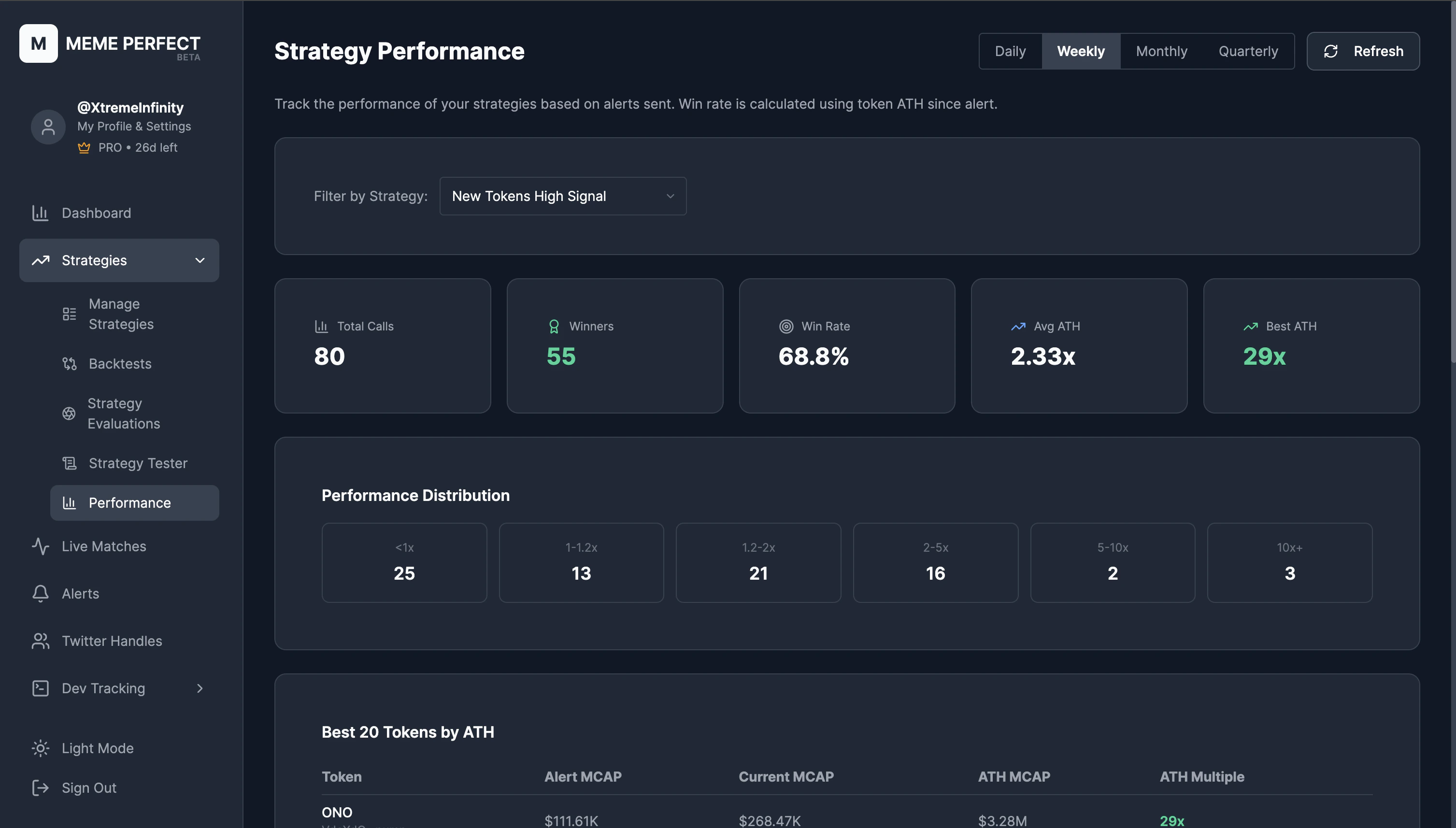
Strategy Performance overview
Metrics Explained
- Total Calls: Number of alerts sent by the strategy in the selected range.
- Winners: Alerts where the token reached a higher price (ATH) after the alert than at alert time.
- Win Rate: (Winners ÷ Total Calls) × 100.
- Average Multiple: Average price multiple (ATH / price at alert) across winning tokens.
- Best Multiple: Highest price multiple achieved by any token.
Performance Distribution
The distribution chart shows how wins are spread across multiplier buckets (e.g., 1x–2x, 2x–5x, 5x–10x, 10x+). This helps you see whether most winners are modest gains or include larger runners.Top Tokens
The top tokens table lists the best performers in the range, sorted by multiple. You can use this to spot patterns which kinds of tokens (by trigger, liquidity, etc.) tend to perform best.Processing can take a minute or more for strategies with many alerts. The page shows progress and refreshes automatically when the job completes.
Backtests
Test strategies against historical data before going live.
Strategy Editor
Refine rules based on performance insights.